Cubelets Design System
A code-truthful spec for a cozy voxel-sculpture merge puzzle. The art direction is Monument Valley by way of a watercolour set - soft, warm, and never trying to look like a video game. Every token here maps to a real value in src/index.css; when code and this doc disagree, code wins.
The scene is the screen.
A puzzle played on a 3D voxel field. Three principles hold the whole thing together - break any one and it stops feeling like Cubelets.
Warm cream, espresso text, seven soft cubes.
No pure primaries, never cold black. Backgrounds run a three-stop warm cream gradient; text is warm espresso; and the seven cube hues carry all the saturation in the product.
Backgrounds - warm cream
Text - warm espresso
The seven cubelet colours
Gradients
Three full skins from one token set.
Tokens are defined once on :root, then re-bound under body[data-palette]. A new screen must work in all three - use the --c-* tokens, never raw hex.
Rounded letterforms, to match the cubes.
Nunito is the body family, set at weight 600 on the root so everything inherits it. Fredoka handles the big display moments - its rounded corners echo the rounded cubes. JetBrains Mono appears only on system-flavoured labels.
A friendly base-4 scale.
Eight steps, doubling loosely from a 4px hairline to 64px big-screen rhythm.
Soft on glass, soft on chips.
Nothing sharp anywhere - every corner is rounded so the chrome sits next to the rounded cubes.
Every shadow is warm brown - never grey.
Grey shadows turn the cream into beige. Warm brown alpha keeps the chrome feeling like it sits in the same scene as the cubes.
One translucent layer over the field.
Every panel is a glass card: a warm-tinted translucent fill, a 1px hairline, an 18px radius, a warm card shadow, and a 1px top inset-highlight that fakes the edge reflection. Two strengths - hovering HUD chips, and the stronger settings sheet.
Hovering HUD chips. You can always see the cubes behind it.
Settings sheet & game-over panel, where legibility wins.
All cut from the same glass + warm-shadow recipe.
Twelve components ship in src/components/. A representative few, rendered on the cream stage:
Buttons
Score HUD
Modifier picker
Awards
The cube tiles
Feedback, not decoration.
Short, springy, and purposeful. With prefers-reduced-motion on, every one of these collapses to a plain opacity fade.
The icon is the brand statement.
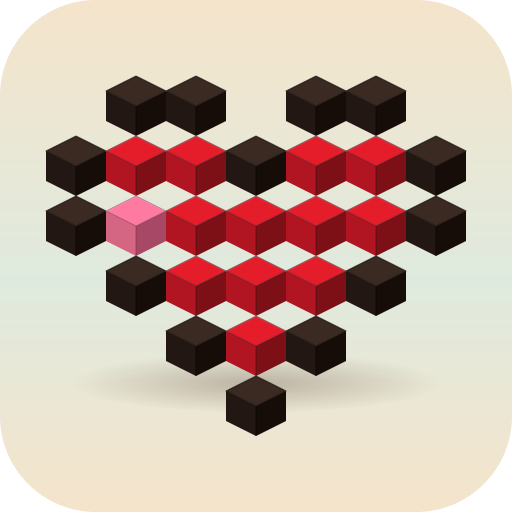
A voxel heart built from dark + red cubes with a single pink cubelet off-centre - the merge gameplay reduced to one frame. In-product glyphs are inline line icons at 1.6px stroke with rounded caps, matched to the Nunito body weight.
Warm, plain, never shouty.
The copy talks to you like a friendly board-game box, not a casino. Encouraging, lower-case-comfortable, and honest about what's going on.
"Nice - perfect clear!"
"No timer. Take your time."
"Beat yesterday's ghost?"
"LIMITED TIME! Don't miss out!"
"Out of lives - buy more?"
"You're losing your streak!!!"
Five ways to break the feel.
If a new screen does any of these, it isn't Cubelets anymore.
- Don't put a solid panel over the field. Glass only - the player should always see the cubes behind their menu.
- Don't use grey shadows. All shadows are warm brown alpha; grey turns the cream into beige.
- Don't use saturated chrome. Saturated hue belongs to the cubes. Even the primary CTA uses the prism gradient, not a flat fill.
- Don't switch font weight inside body copy. Nunito 600 for everything; only display (800) is a separate weight.
- Don't break a palette variant. A new screen must work in base, dusk, and neon - use the
--c-*tokens, never raw hex.
Where every token actually lives.
This page documents the system; the code defines it. When they disagree, the code wins.